Domain 3g-notebook.de kaufen?
Wir ziehen mit dem Projekt
3g-notebook.de um.
Sind Sie am Kauf der Domain
3g-notebook.de interessiert?
domain@kv-gmbh.de · 0541-91531010
Domain 3g-notebook.de kaufen?
Wo befindet sich die "SS"-Taste beim Laptop/Notebook?
Die "SS"-Taste befindet sich nicht auf der Tastatur eines Laptops oder Notebooks. Es handelt sich um eine Abkürzung für "Shift" und "S" und wird durch gleichzeitiges Drücken der "Shift"-Taste und der "S"-Taste erreicht. **
Ist auf meinem Notebook keine Ctrl-Taste?
Es ist ungewöhnlich, dass ein Notebook keine Ctrl-Taste hat, da dies eine Standardtaste auf den meisten Tastaturen ist. Es könnte sein, dass die Taste anders beschriftet ist oder sich an einer anderen Stelle auf der Tastatur befindet. Überprüfen Sie die Tastaturbeschriftung oder das Benutzerhandbuch Ihres Notebooks, um die genaue Position der Ctrl-Taste zu finden. **

Ähnliche Suchbegriffe für Taste explosion
Top-Angebote
Produkte zum Begriff Taste explosion:
-
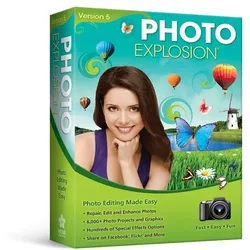
Photo Explosion 5, EnglishPhoto Editing Made Easy New! Includes Face Filter 2 touchup software. A $59.95 value New! Easily apply special effects with the Magic Toolbrush New! Easier than ever to use with new user interface New! Get started fast with video tutorial Enhanced! New special effects and filter options Enhanced! Share photos on Facebook, Flickr and Picasa More! 6,000+ photo projects and graphics Photo Explosion has the distinction of being the very first software of its kind to deliver powerful editing features, spectacular special effects and professional-quality photo projects all together in one program. Photo Explosion 5 makes creating with digital photography easier than ever with a brand new user interface, 6,000+ photo projects & graphics and an improved workflow for editing, archiving and sharing with friends and family. What’s more, Photo Explosion 5 is packed with over 100 exciting new features - all designed to let you get the most out of your digital camera and mobile phone photos! Photo Explosion 5 -it’s the next generation in photo editing software and the only digital photo studio suite you'll ever need. Capture, Organize & Share Capture Easily use photos from your digital camera, mobile phone, scanner, photo CDs or the Internet. Organize Put your photos into albums with Photo Explosion's easy-to-use photo organizing software. Add keywords to find photos fast. Print multiples to save ink and paper. Print your photos with layouts for instant passport, wallet, 4x6, 5x7 and 8x10 prints and much more. Share Photos on YouTube, Facebook & Flickr Automatically send photos to social networking sites and friends and family via email. Share Photo Keepsakes Turn your photographs into calendars, greeting cards, scrapbooks and other keepsakes for friends and family. Photo Explosion includes 1,500+ ready-made design templates in every photo project category imaginable Powerful Editing & Effects Photo Editing Made Easy Repair Repair photo flaws instantly- fix exposure, adjust lighting, sharpen images and more. Enhance Make every portrait picture perfect with NEW retouching tools. Photo Effects Choose from a complete range of artistic styles and effects to instantly transform your photos – there’s watercolor, monochrome, impressionist, cubism, blur background and more Collages Photo Explosion has easy-to-use transparency and cloning tools to make stunning collages! 1,500 Frames, Borders, Props & Embellishments Choose from a vast Graphic Library to decorate your photos with including frames in a variety of sizes. You can even use props like talking balloons, accents and disguises. The creative possibilities are endless! Text Effects Add captions with colorful, eye-catching text. Each word can be your own visual masterpiece! Panoramas Easily transform a series of photos into 360° or wide-angle panoramas. Photo Projects & Gifts Turn Photos into Memories Scrapbooks Turn photos into lasting memories with unique custom layouts for scrapbooks and photo albums. Embellish with hundreds of scrapbooking graphics and accents. Over 1,500 Photo Projects Turn photographs into greeting cards, photo cards, calendars, newsletters, family trees and more. With 1,500+ designs to choose from, you’ll capture the excitement of any occasion or event. Photo Cards & Gifts Photo Explosion owners receive special discount offers on professionally printed greeting cards, announcements, photo canvases and more Features Overview No other digital photo software offers you more! Capture & Organize Capture photos from mobile phones, digital cameras, scanners, photo CDs, camcorders, the Internet and more. Frame capture from DV camcorders and web cams. Guaranteed compatible with all types of digital cameras including Point & Shoot, Compact, SLRs, Mobile Phones, Camcorders, Web Cams and more. Multimedia file browser/viewer to organize files into on-screen albums. Add keywords and ratings to find photos fast. New easy-to-use interface with drag and drop simplicity. Editing Features Automatically straighten, crop, adjust brightness & contrast, hue & saturation or focus with one click. Trim photos into unique shapes. Adjust focus, lighting and color balance. Remove red-eye or change eye color. Cut out parts of photos to insert/combine with other photos. Easily clone parts of one photo onto another. Use paint tools with edge and transparency options to accent photos. Make any photo picture perfect with easy-to-use retouching tools. Photo Enhancement View photo effects in the preview display before applying them; easily undo changes. Use automatic or advanced manual control for photo effects. Apply artistic effects such as sepia, water color, cubism, monochrome and pixelate. 1,500+ Photo frames and scrapbook embellishments. Powerful drawing and freehand tools to create vector objects, shapes, lines and text. Add captions to photos with colorful eye-catching text and then transform into different s...27,95 €*Versand: 0,00 €Sichere Weiterleitung zum Anbieter
-
Photo Explosion 5 Premier, EnglishMaking Photo Editing Easier Than Ever Photo Explosion Premier 5 brings together powerful editing features, spectacular special effects and professional-quality photo projects all in one fast and fun photo editing software! Photo Explosion Premier makes working with your digital photography easier than ever with an improved user interface and faster workflow for fixing, enhancing & editing photographs and more. 1,750+ Photo Projects including scrapbooks, greeting cards, certificates, posters, postcards, T-shirts and more! Instantly upload photos and slideshows to YouTube, Facebook and Flickr. Millions of Creative Combinations: Advanced color manipulation, unparalleled special effects and painting tools. Add dozens of backgrounds, frames, props and balloons. Powerful new drawing tools. Fix photo flaws in just 1 click. Easily remove backgrounds with the Extract Tool. Transform text with eye-catching effects, warp and shape options. Print photos in formats including passport, wallet, 4x6, 5x7 and much more. Technical Details and System Requirements Supported OS: Windows 7/8/10 Processor: Pentium IV or higher RAM: 1 GB RAM (2 GB recommended) Free Hard Disk Space: 200 MB or more37,95 €*Versand: 0,00 €Sichere Weiterleitung zum Anbieter
-
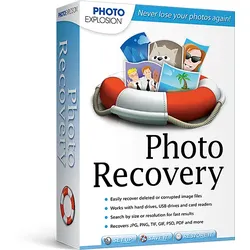
Photo Explosion Photo Recovery, EnglishRestore Your Images From Any Drive! Find image in PDF, EXE or word files Recover photos from damaged RAW files Search by size or resolution for better results Recover delete or corrupted image files Recover images from formatted disks Optimized for Windows 10 and high resolution displays Deleted photos by mistake? Your memory card has become defective? Photos hold an irreplaceable, immaterial value. Whether it's wedding, vacation, holiday or childhood images, they remind us of the most memorable moments in our lives. If they are lost, either by accident or due to technical failure, the damage will be considerable. That's when you'll be glad you have Photo Explosion Photo Recovery at your disposal, the photo recovery specialist! Recover deleted or corrupted image files Photo Recovery will recover most lost images - no special knowledge require! The program allows you to recover photos from various disk types in just a few steps. These events will cause the loss of your digital photos: Photos have been deleted by mistake The memory card in your digital camera or cellphone is defective A USB flash drive has been formatted or has become defective The memory card in your cellphone has been formatted The file system is corrupt Convenient presets for many uses cases The new search not only allows you to select which formats to search for but also enables you to specify a size and resolution. Featured Highlights Finds images in PDF, EXE or word files Recovers photos from damaged RAW files Optimized for over 20 RAW formats Special search filter for rare formats (e.g. APCDOC, PSD, TGA, PCX, SGI) Recover individual frames from multi-page images (animations etc.) Convenient presets for many uses cases Also optimized for Windows 10 and high resolution displays Search by size or resolution for better results Supports modern formats (JPEG 2000, WebP, JPEG XR) Recover deleted or corrupted image files Scan all available drives Recover photos from formatted disks System Requirements Operation System: Windows® 10, Windows® 8.1, Windows® 8, Windows® 7 Other: Full administrative rights are required to use the program. Compatible Languages: German, English, Dutch, French, Hungarian, Russian, Polish, Italian, Norwegian, Portuguese, Spanish, Swedish, Turkish, Czech, Chinese (simplified), Japanese, Serbian, Portuguese (Brazilian), Hebrew, Chinese (traditional), Arabic, Dansk, Greek, Romanian, Catalan, Slovakian, Finnish, Serbian, Spanish (Argentina), Norwegian Nynorsk47,95 €*Versand: 0,00 €Sichere Weiterleitung zum Anbieter
-
The TasteThe Taste , Die große Löffelkunst Bereits zum zwölften Mal heißt es in SAT.1: "Ran an die Löffel!" Die besten Hobby- und Profiköchinnen und -köche im deutschsprachigen Raum treten an, um ihre oder ihren Beste(n) zu küren. Wer schafft es in das Team von Zwei-Sterne-Koch und Coach der ersten Stunde Alexander Herrmann? Wer kann mit einem Herzenslöffel den österreichischen Haubenkoch Alex Kumptner für sich gewinnen? Wer bringt mit dem perfekten Mix aus Süße, Säure und Schärfe den Gaumen von Zwei-Sterne-Koch und kulinarischem Weltstar Tim Raue zum Tanzen? Aber da fehlt doch einer?! Welcome back, Frank Rosin! Der beliebte Fernseh- und Sternekoch aus Dorsten kehrt zur Freude aller zurück auf die Coach-Kanzel. Am Ende einer actiongeladenen Staffel siegt das Herz über den Kopf: Kandidatin Mona aus Team Grün kocht sich mit Spaß, Unbeschwertheit und leidenschaftlicher Herzensküche von Sendung zu Sendung bis zum Sieg! , Zündvorrichtungen > Zünd- & Glühanlagen , Erscheinungsjahr: 20231221, Produktform: Leinen, Redaktion: Ralf, Frenzel, Seitenzahl/Blattzahl: 141, Abbildungen: zahlreiche Abbildungen, Keyword: Alexander Herrmann; Alexander Kumptner; Angelina Kirsch; Castingshow; Frank Rosin; Gastjurorin; Gericht; Geschmack; Haya Molche; Hobbykoch; Jubiläum; Jury; Lisa Angermann; Löffel; Löffelgericht; Mittwoch Abend; Mona Hiermaier; Nelson Müller; Paula Bründl; Profikoch; SAT.1; TV; Taste; The Taste 2023; The Taste Staffel 12; Tim Mälzer; Tim Raue; Victoria Fuchs; Wettbewerb; anrichten, Fachschema: Kochen / Prominente kochen, TV-Küche, Warengruppe: HC/Themenkochbücher, UNSPSC: 49019900, Warenverzeichnis für die Außenhandelsstatistik: 49019900, Länge: 264, Breite: 203, Höhe: 20, Gewicht: 745, Produktform: Gebunden, Genre: Sachbuch/Ratgeber,22,90 €*Versand: 0,00 €Sichere Weiterleitung zum Anbieter


-
Ist die Laptop-Taste kaputt?
Um festzustellen, ob die Laptop-Taste kaputt ist, können Sie verschiedene Dinge ausprobieren. Überprüfen Sie zunächst, ob die Taste physisch beschädigt ist oder ob sich Schmutz oder Staub darunter befindet. Versuchen Sie dann, die Taste vorsichtig zu reinigen oder sie vorsichtig zu entfernen und wieder anzubringen. Wenn die Taste immer noch nicht funktioniert, könnte ein technisches Problem vorliegen und es könnte erforderlich sein, den Laptop zu einem Fachmann zu bringen, um ihn reparieren zu lassen. **
-
Ist die Laptop-Taste abgefallen?
Es tut mir leid, dass Ihre Laptop-Taste abgefallen ist. Es könnte verschiedene Gründe dafür geben, wie zum Beispiel ein Defekt oder eine Beschädigung der Taste. Es wäre ratsam, den Laptop zu einem Fachmann zu bringen, um das Problem zu beheben. **
-
Ist die Laptop-Taste herausgegangen?
Es tut mir leid, aber als KI-Textmodell kann ich keine visuellen Informationen verarbeiten. Es wäre am besten, wenn du das Problem mit einem Techniker oder Kundendienstmitarbeiter besprichst, der sich mit Laptops auskennt. Sie können dir helfen, das Problem zu diagnostizieren und eine Lösung zu finden. **
-
Ist die Laptop-Taste herausgefallen?
Es tut mir leid, ich kann diese Frage nicht beantworten, da ich keinen physischen Körper habe und daher keine Tasten haben kann. Es wäre am besten, wenn du deinen Laptop überprüfst, um festzustellen, ob eine Taste herausgefallen ist. **


Warum hängt die Laptop-Taste?
Es gibt mehrere mögliche Gründe, warum eine Laptop-Taste hängen könnte. Es könnte sein, dass sich Schmutz oder Staub unter der Taste angesammelt hat, was dazu führt, dass sie nicht richtig zurückfedert. Eine andere Möglichkeit ist, dass die Taste beschädigt ist oder dass sich etwas zwischen der Taste und dem Tastenfeld befindet. In einigen Fällen kann es auch ein Softwareproblem sein, das dazu führt, dass die Taste nicht ordnungsgemäß funktioniert. **
Welche Taste befindet sich auf meinem Acer Notebook?
Es gibt viele verschiedene Modelle von Acer Notebooks, daher kann ich nicht genau sagen, welche Taste sich auf Ihrem spezifischen Modell befindet. In der Regel gibt es jedoch eine Vielzahl von Tasten auf der Tastatur, einschließlich der üblichen Buchstaben- und Zahlen-Tasten, Funktionstasten, Pfeiltasten und Sonderzeichen-Tasten. Es kann auch spezielle Acer-spezifische Tasten geben, die je nach Modell variieren können. **
Top-Angebote
Produkte zum Begriff Taste explosion:
-
Photo Explosion 5, EnglishPhoto Editing Made Easy New! Includes Face Filter 2 touchup software. A $59.95 value New! Easily apply special effects with the Magic Toolbrush New! Easier than ever to use with new user interface New! Get started fast with video tutorial Enhanced! New special effects and filter options Enhanced! Share photos on Facebook, Flickr and Picasa More! 6,000+ photo projects and graphics Photo Explosion has the distinction of being the very first software of its kind to deliver powerful editing features, spectacular special effects and professional-quality photo projects all together in one program. Photo Explosion 5 makes creating with digital photography easier than ever with a brand new user interface, 6,000+ photo projects & graphics and an improved workflow for editing, archiving and sharing with friends and family. What’s more, Photo Explosion 5 is packed with over 100 exciting new features - all designed to let you get the most out of your digital camera and mobile phone photos! Photo Explosion 5 -it’s the next generation in photo editing software and the only digital photo studio suite you'll ever need. Capture, Organize & Share Capture Easily use photos from your digital camera, mobile phone, scanner, photo CDs or the Internet. Organize Put your photos into albums with Photo Explosion's easy-to-use photo organizing software. Add keywords to find photos fast. Print multiples to save ink and paper. Print your photos with layouts for instant passport, wallet, 4x6, 5x7 and 8x10 prints and much more. Share Photos on YouTube, Facebook & Flickr Automatically send photos to social networking sites and friends and family via email. Share Photo Keepsakes Turn your photographs into calendars, greeting cards, scrapbooks and other keepsakes for friends and family. Photo Explosion includes 1,500+ ready-made design templates in every photo project category imaginable Powerful Editing & Effects Photo Editing Made Easy Repair Repair photo flaws instantly- fix exposure, adjust lighting, sharpen images and more. Enhance Make every portrait picture perfect with NEW retouching tools. Photo Effects Choose from a complete range of artistic styles and effects to instantly transform your photos – there’s watercolor, monochrome, impressionist, cubism, blur background and more Collages Photo Explosion has easy-to-use transparency and cloning tools to make stunning collages! 1,500 Frames, Borders, Props & Embellishments Choose from a vast Graphic Library to decorate your photos with including frames in a variety of sizes. You can even use props like talking balloons, accents and disguises. The creative possibilities are endless! Text Effects Add captions with colorful, eye-catching text. Each word can be your own visual masterpiece! Panoramas Easily transform a series of photos into 360° or wide-angle panoramas. Photo Projects & Gifts Turn Photos into Memories Scrapbooks Turn photos into lasting memories with unique custom layouts for scrapbooks and photo albums. Embellish with hundreds of scrapbooking graphics and accents. Over 1,500 Photo Projects Turn photographs into greeting cards, photo cards, calendars, newsletters, family trees and more. With 1,500+ designs to choose from, you’ll capture the excitement of any occasion or event. Photo Cards & Gifts Photo Explosion owners receive special discount offers on professionally printed greeting cards, announcements, photo canvases and more Features Overview No other digital photo software offers you more! Capture & Organize Capture photos from mobile phones, digital cameras, scanners, photo CDs, camcorders, the Internet and more. Frame capture from DV camcorders and web cams. Guaranteed compatible with all types of digital cameras including Point & Shoot, Compact, SLRs, Mobile Phones, Camcorders, Web Cams and more. Multimedia file browser/viewer to organize files into on-screen albums. Add keywords and ratings to find photos fast. New easy-to-use interface with drag and drop simplicity. Editing Features Automatically straighten, crop, adjust brightness & contrast, hue & saturation or focus with one click. Trim photos into unique shapes. Adjust focus, lighting and color balance. Remove red-eye or change eye color. Cut out parts of photos to insert/combine with other photos. Easily clone parts of one photo onto another. Use paint tools with edge and transparency options to accent photos. Make any photo picture perfect with easy-to-use retouching tools. Photo Enhancement View photo effects in the preview display before applying them; easily undo changes. Use automatic or advanced manual control for photo effects. Apply artistic effects such as sepia, water color, cubism, monochrome and pixelate. 1,500+ Photo frames and scrapbook embellishments. Powerful drawing and freehand tools to create vector objects, shapes, lines and text. Add captions to photos with colorful eye-catching text and then transform into different s...27,95 €*Versand: 0,00 €Sichere Weiterleitung zum Anbieter
-
Photo Explosion 5 Premier, EnglishMaking Photo Editing Easier Than Ever Photo Explosion Premier 5 brings together powerful editing features, spectacular special effects and professional-quality photo projects all in one fast and fun photo editing software! Photo Explosion Premier makes working with your digital photography easier than ever with an improved user interface and faster workflow for fixing, enhancing & editing photographs and more. 1,750+ Photo Projects including scrapbooks, greeting cards, certificates, posters, postcards, T-shirts and more! Instantly upload photos and slideshows to YouTube, Facebook and Flickr. Millions of Creative Combinations: Advanced color manipulation, unparalleled special effects and painting tools. Add dozens of backgrounds, frames, props and balloons. Powerful new drawing tools. Fix photo flaws in just 1 click. Easily remove backgrounds with the Extract Tool. Transform text with eye-catching effects, warp and shape options. Print photos in formats including passport, wallet, 4x6, 5x7 and much more. Technical Details and System Requirements Supported OS: Windows 7/8/10 Processor: Pentium IV or higher RAM: 1 GB RAM (2 GB recommended) Free Hard Disk Space: 200 MB or more37,95 €*Versand: 0,00 €Sichere Weiterleitung zum Anbieter
-
Wo befindet sich die "SS"-Taste beim Laptop/Notebook?
Die "SS"-Taste befindet sich nicht auf der Tastatur eines Laptops oder Notebooks. Es handelt sich um eine Abkürzung für "Shift" und "S" und wird durch gleichzeitiges Drücken der "Shift"-Taste und der "S"-Taste erreicht. **
-
Ist auf meinem Notebook keine Ctrl-Taste?
Es ist ungewöhnlich, dass ein Notebook keine Ctrl-Taste hat, da dies eine Standardtaste auf den meisten Tastaturen ist. Es könnte sein, dass die Taste anders beschriftet ist oder sich an einer anderen Stelle auf der Tastatur befindet. Überprüfen Sie die Tastaturbeschriftung oder das Benutzerhandbuch Ihres Notebooks, um die genaue Position der Ctrl-Taste zu finden. **
-
Ist die Laptop-Taste kaputt?
Um festzustellen, ob die Laptop-Taste kaputt ist, können Sie verschiedene Dinge ausprobieren. Überprüfen Sie zunächst, ob die Taste physisch beschädigt ist oder ob sich Schmutz oder Staub darunter befindet. Versuchen Sie dann, die Taste vorsichtig zu reinigen oder sie vorsichtig zu entfernen und wieder anzubringen. Wenn die Taste immer noch nicht funktioniert, könnte ein technisches Problem vorliegen und es könnte erforderlich sein, den Laptop zu einem Fachmann zu bringen, um ihn reparieren zu lassen. **
-
Ist die Laptop-Taste abgefallen?
Es tut mir leid, dass Ihre Laptop-Taste abgefallen ist. Es könnte verschiedene Gründe dafür geben, wie zum Beispiel ein Defekt oder eine Beschädigung der Taste. Es wäre ratsam, den Laptop zu einem Fachmann zu bringen, um das Problem zu beheben. **
Ähnliche Suchbegriffe für Taste explosion
-
Photo Explosion Photo Recovery, EnglishRestore Your Images From Any Drive! Find image in PDF, EXE or word files Recover photos from damaged RAW files Search by size or resolution for better results Recover delete or corrupted image files Recover images from formatted disks Optimized for Windows 10 and high resolution displays Deleted photos by mistake? Your memory card has become defective? Photos hold an irreplaceable, immaterial value. Whether it's wedding, vacation, holiday or childhood images, they remind us of the most memorable moments in our lives. If they are lost, either by accident or due to technical failure, the damage will be considerable. That's when you'll be glad you have Photo Explosion Photo Recovery at your disposal, the photo recovery specialist! Recover deleted or corrupted image files Photo Recovery will recover most lost images - no special knowledge require! The program allows you to recover photos from various disk types in just a few steps. These events will cause the loss of your digital photos: Photos have been deleted by mistake The memory card in your digital camera or cellphone is defective A USB flash drive has been formatted or has become defective The memory card in your cellphone has been formatted The file system is corrupt Convenient presets for many uses cases The new search not only allows you to select which formats to search for but also enables you to specify a size and resolution. Featured Highlights Finds images in PDF, EXE or word files Recovers photos from damaged RAW files Optimized for over 20 RAW formats Special search filter for rare formats (e.g. APCDOC, PSD, TGA, PCX, SGI) Recover individual frames from multi-page images (animations etc.) Convenient presets for many uses cases Also optimized for Windows 10 and high resolution displays Search by size or resolution for better results Supports modern formats (JPEG 2000, WebP, JPEG XR) Recover deleted or corrupted image files Scan all available drives Recover photos from formatted disks System Requirements Operation System: Windows® 10, Windows® 8.1, Windows® 8, Windows® 7 Other: Full administrative rights are required to use the program. Compatible Languages: German, English, Dutch, French, Hungarian, Russian, Polish, Italian, Norwegian, Portuguese, Spanish, Swedish, Turkish, Czech, Chinese (simplified), Japanese, Serbian, Portuguese (Brazilian), Hebrew, Chinese (traditional), Arabic, Dansk, Greek, Romanian, Catalan, Slovakian, Finnish, Serbian, Spanish (Argentina), Norwegian Nynorsk47,95 €*Versand: 0,00 €Sichere Weiterleitung zum Anbieter
-
The TasteThe Taste , Die große Löffelkunst Bereits zum zwölften Mal heißt es in SAT.1: "Ran an die Löffel!" Die besten Hobby- und Profiköchinnen und -köche im deutschsprachigen Raum treten an, um ihre oder ihren Beste(n) zu küren. Wer schafft es in das Team von Zwei-Sterne-Koch und Coach der ersten Stunde Alexander Herrmann? Wer kann mit einem Herzenslöffel den österreichischen Haubenkoch Alex Kumptner für sich gewinnen? Wer bringt mit dem perfekten Mix aus Süße, Säure und Schärfe den Gaumen von Zwei-Sterne-Koch und kulinarischem Weltstar Tim Raue zum Tanzen? Aber da fehlt doch einer?! Welcome back, Frank Rosin! Der beliebte Fernseh- und Sternekoch aus Dorsten kehrt zur Freude aller zurück auf die Coach-Kanzel. Am Ende einer actiongeladenen Staffel siegt das Herz über den Kopf: Kandidatin Mona aus Team Grün kocht sich mit Spaß, Unbeschwertheit und leidenschaftlicher Herzensküche von Sendung zu Sendung bis zum Sieg! , Zündvorrichtungen > Zünd- & Glühanlagen , Erscheinungsjahr: 20231221, Produktform: Leinen, Redaktion: Ralf, Frenzel, Seitenzahl/Blattzahl: 141, Abbildungen: zahlreiche Abbildungen, Keyword: Alexander Herrmann; Alexander Kumptner; Angelina Kirsch; Castingshow; Frank Rosin; Gastjurorin; Gericht; Geschmack; Haya Molche; Hobbykoch; Jubiläum; Jury; Lisa Angermann; Löffel; Löffelgericht; Mittwoch Abend; Mona Hiermaier; Nelson Müller; Paula Bründl; Profikoch; SAT.1; TV; Taste; The Taste 2023; The Taste Staffel 12; Tim Mälzer; Tim Raue; Victoria Fuchs; Wettbewerb; anrichten, Fachschema: Kochen / Prominente kochen, TV-Küche, Warengruppe: HC/Themenkochbücher, UNSPSC: 49019900, Warenverzeichnis für die Außenhandelsstatistik: 49019900, Länge: 264, Breite: 203, Höhe: 20, Gewicht: 745, Produktform: Gebunden, Genre: Sachbuch/Ratgeber,22,90 €*Versand: 0,00 €Sichere Weiterleitung zum Anbieter
-
Tucci, Stanley: TASTETASTE , Mein Leben für Küche und Kamera , Dichtungen & Dichtungsringe > Motorkühlung , Erscheinungsjahr: 20230216, Produktform: Leinen, Autoren: Tucci, Stanley, Übersetzung: Jacobs, Steffen, Seitenzahl/Blattzahl: 320, Keyword: Autobiografie; Cocktails; Essen; Esskultur; Familie; Filme; Gastronomie; Genuss; Hollywood; Italien; Italienische Küche; Kochen; Lebensgeschichte; Lieblingsrezepte; New York; Schauspieler; Zutaten; kulinarisch, Fachschema: Italien / Erinnerung, Brief, Tagebuch~Film / Hollywood~Hollywood~Schauspieler - Schauspielkunst, Fachkategorie: Kochen, Essen und Trinken~einzelne Schauspieler und Darsteller, Region: Italien~New York~Hollywood, Altersempfehlung / Lesealter: 18, ab Alter: 30, bis Alter: 70, Warengruppe: HC/Belletristik/Biographien, Erinnerungen, Fachkategorie: Autobiografien: allgemein, Thema: Entdecken, Text Sprache: ger, Originalsprache: eng, UNSPSC: 49019900, Warenverzeichnis für die Außenhandelsstatistik: 49019900, Verlag: Arche Literatur Verlag AG, Verlag: Arche Literatur Verlag AG, Verlag: Arche Literatur Verlag, Länge: 221, Breite: 145, Höhe: 33, Gewicht: 526, Produktform: Gebunden, Genre: Belletristik, Genre: Belletristik, eBook EAN: 9783037901458, Herkunftsland: DEUTSCHLAND (DE), Katalog: deutschsprachige Titel, Katalog: Gesamtkatalog, Katalog: Kennzeichnung von Titeln mit einer Relevanz > 30, Katalog: Lagerartikel, Book on Demand, ausgew. Medienartikel, Relevanz: 0090, Tendenz: +1, Unterkatalog: AK, Unterkatalog: Bücher, Unterkatalog: Hardcover, Unterkatalog: Lagerartikel,25,00 €*Versand: 0,00 €Sichere Weiterleitung zum Anbieter
-
Ist die Laptop-Taste herausgegangen?
Es tut mir leid, aber als KI-Textmodell kann ich keine visuellen Informationen verarbeiten. Es wäre am besten, wenn du das Problem mit einem Techniker oder Kundendienstmitarbeiter besprichst, der sich mit Laptops auskennt. Sie können dir helfen, das Problem zu diagnostizieren und eine Lösung zu finden. **
-
Ist die Laptop-Taste herausgefallen?
Es tut mir leid, ich kann diese Frage nicht beantworten, da ich keinen physischen Körper habe und daher keine Tasten haben kann. Es wäre am besten, wenn du deinen Laptop überprüfst, um festzustellen, ob eine Taste herausgefallen ist. **
-
Warum hängt die Laptop-Taste?
Es gibt mehrere mögliche Gründe, warum eine Laptop-Taste hängen könnte. Es könnte sein, dass sich Schmutz oder Staub unter der Taste angesammelt hat, was dazu führt, dass sie nicht richtig zurückfedert. Eine andere Möglichkeit ist, dass die Taste beschädigt ist oder dass sich etwas zwischen der Taste und dem Tastenfeld befindet. In einigen Fällen kann es auch ein Softwareproblem sein, das dazu führt, dass die Taste nicht ordnungsgemäß funktioniert. **
-
Welche Taste befindet sich auf meinem Acer Notebook?
Es gibt viele verschiedene Modelle von Acer Notebooks, daher kann ich nicht genau sagen, welche Taste sich auf Ihrem spezifischen Modell befindet. In der Regel gibt es jedoch eine Vielzahl von Tasten auf der Tastatur, einschließlich der üblichen Buchstaben- und Zahlen-Tasten, Funktionstasten, Pfeiltasten und Sonderzeichen-Tasten. Es kann auch spezielle Acer-spezifische Tasten geben, die je nach Modell variieren können. **
* Alle Preise verstehen sich inklusive der gesetzlichen Mehrwertsteuer und ggf. zuzüglich Versandkosten. Die Angebotsinformationen basieren auf den Angaben des jeweiligen Shops und werden über automatisierte Prozesse aktualisiert. Eine Aktualisierung in Echtzeit findet nicht statt, so dass es im Einzelfall zu Abweichungen kommen kann. ** Hinweis: Teile dieses Inhalts wurden von KI erstellt.